A big target for little moments.
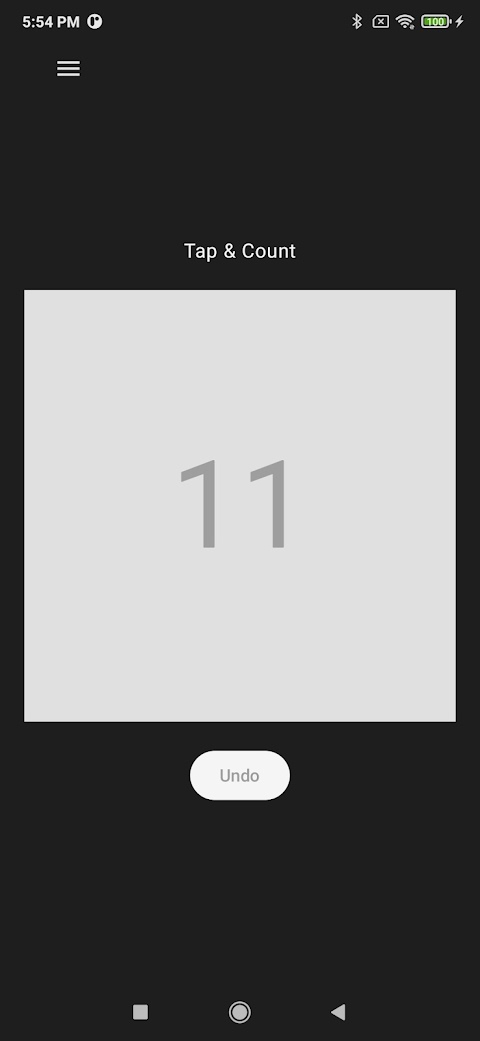
Tap the large counting area to add one. The number stays easy to read, so you can stay focused on what you are counting.
 Lost Falcon
TAP & COUNT / FOR ANDROID
A simple tally counter for the things that add up. From your next workout to your next crochet row, just tap and keep going.
No account needed. Counting works offline.
FOR YOUR EVERYDAY
Workout repsCrochet rowsEvent attendanceInventory countsSMALL APP. USEFUL DETAILS.
A digital alternative to a handheld tally clicker, with controls that stay out of the way.
Tap the large counting area to add one. The number stays easy to read, so you can stay focused on what you are counting.
With the app open, press volume up to add one or volume down to subtract one. Use the controls that feel right for the task.
Use Undo to subtract one after an accidental tap. Sound and vibration feedback help you notice each count.
Reset a nonzero count to save the completed total in local history and return to zero. Open History to revisit your saved totals.
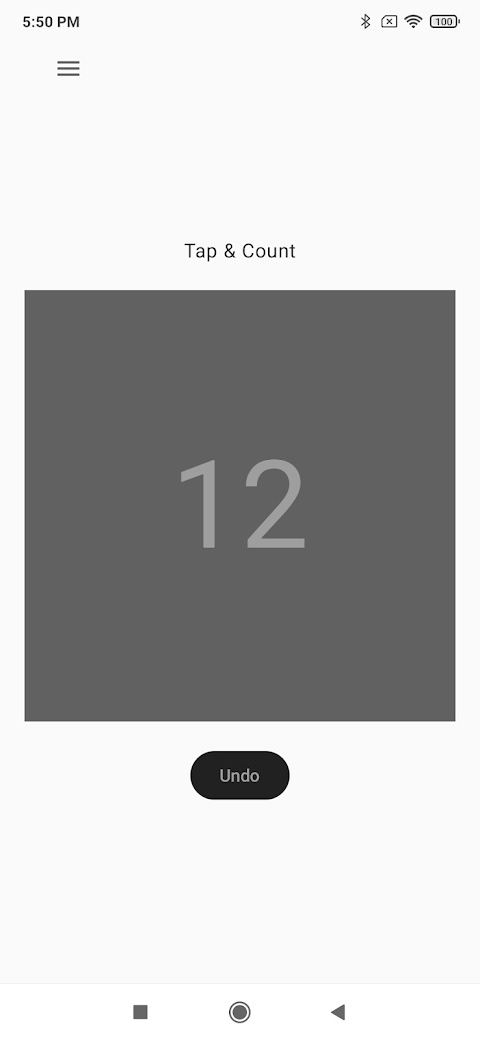
Real app. Light and dark appearances.
OPEN. TAP. REPEAT.
Install the Android app from Google Play. There is no account to create.
Tap the counting area or use volume up. Undo or volume down corrects an extra count.
Open the menu and choose Reset. Your nonzero total is saved in History before the counter returns to zero.
WHAT WILL YOU COUNT?
Tap after each rep, or use the volume button when it is easier to reach. Reset between sets to keep a history of finished totals.
Count each completed row once. If you undo a row in your project, subtract one in the app too. Keep pattern notes separately.
Add one for each person arriving. Use Undo to correct a duplicate tap. The app tracks a total, not names or attendee details.
Count one group of items at a time, then reset before starting the next. Keep item names separately; saved history contains totals and dates.
GOOD TO KNOW
Yes. Counting and locally stored completed history do not require an internet connection. Downloading or updating the app through Google Play does.
No. You can open the app and start counting without signing up or logging in.
Choose Reset from the menu when the total is greater than zero. The app saves that completed total in History, then starts again at zero. Do not rely on an unfinished total surviving an app restart.
This website introduces the Android app. It is not an online counter, and no iPhone version is offered here.
Completed totals and their dates are stored in the app's local database. Android may back up app data depending on your device settings. Lost Falcon does not operate a cloud-sync service for your counts. Read the privacy policy.
MADE FOR THE LITTLE THINGS
Your phone. Your counter. One less thing to carry.
Get Tap & Count on Google Play